how to get that crunchy flash audio!!
┤ how to get that crunchy flash audio!! ┤
a little tutorial for flash enjoyers
so, you may have noticed that most of my pages on my site have audio. crunchy audio. low quality audio, even. today, i'm gonna teach you guys how i did that!!! to achieve that... i used flash cs6. i have used audacity + then changed the sample rate to something like... 16000Hz, but it didn't QUITE achieve what i wanted...
for this tutorial, we're gonna use THIS sound file here. candy pop by luv limited -nm-!!!
if you're wondering how to grab audio from something like youtube, use cobalt.meowing.de!! a LOT safer than downloading from a sketchy site, lol.
as for flash cs6... i said previously that i grabbed mine from animatearchive, however adobe killed that site's download links (FUCK YOU ADOBE!!!!!!!!!)... all i will say is that i grabbed mine from the wayback machine, i won't list links here just in case adobe is sniffing around (and to abide by nekoweb TOS, i am NOT risking getting this site deleted cuz of a really trashy multibillion dollar company known as adobe), but yknow, they're out there.
when you're installing it, turn on flight mode throughout the whole thing!! this is only because otherwise, it'll keep nagging you to make an adobe id. after it's installed, you won't need flight mode anymore. to lift the trial restrictions... well. dig around on google, again i can't list links sorry (just in case adobe ninjas are sniffing around, again) :o[
AAAANYWAYS. TO THE ACTUAL TUTORIAL.
firstly, you'll need to open up audacity (install it if you haven't) + import your audio file there. then, go to edit > preferences, or just do CTRL + P. you'll be greeted with this popup!!!
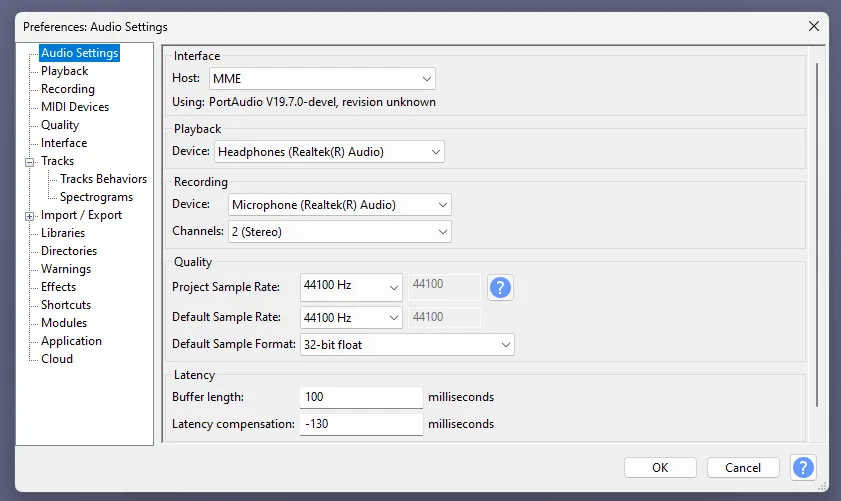
now, on the "project sample rate" area, change the sample rate to 11025Hz. this is important because CS6 fucks up higher quality audio... older software, it's Just Like That :oP
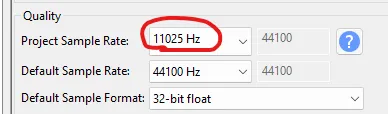
play back your audio, if you want. it should sound a little bit more... muffled!! it may not in some cases, but just ensure the project's sample rate is at 11025Hz, and you're all good to go. now, export your audio. for a quicker way, just do CTRL + SHIFT + E. if you get a popup, asking where you wanna save, just select "on your computer" + click on "don't show again".
you must make sure the sample rate is 11025Hz on the export audio popup!!! no need to worry about encoding, just make sure it looks like this.
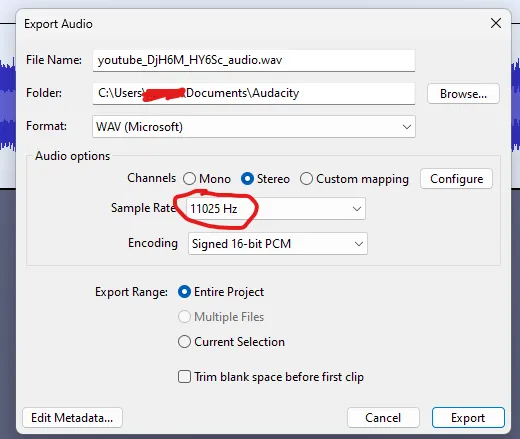
does it look like that for you?? yes?? GOOD!! now, it's flash time.
when you first open up flash cs6, click on "create new actionscript 3.0". DON'T PANIC IF IT LOOKS CONFUSING, i'll guide you through all of this!! it'll look a little bit like this when you create a new flash document.
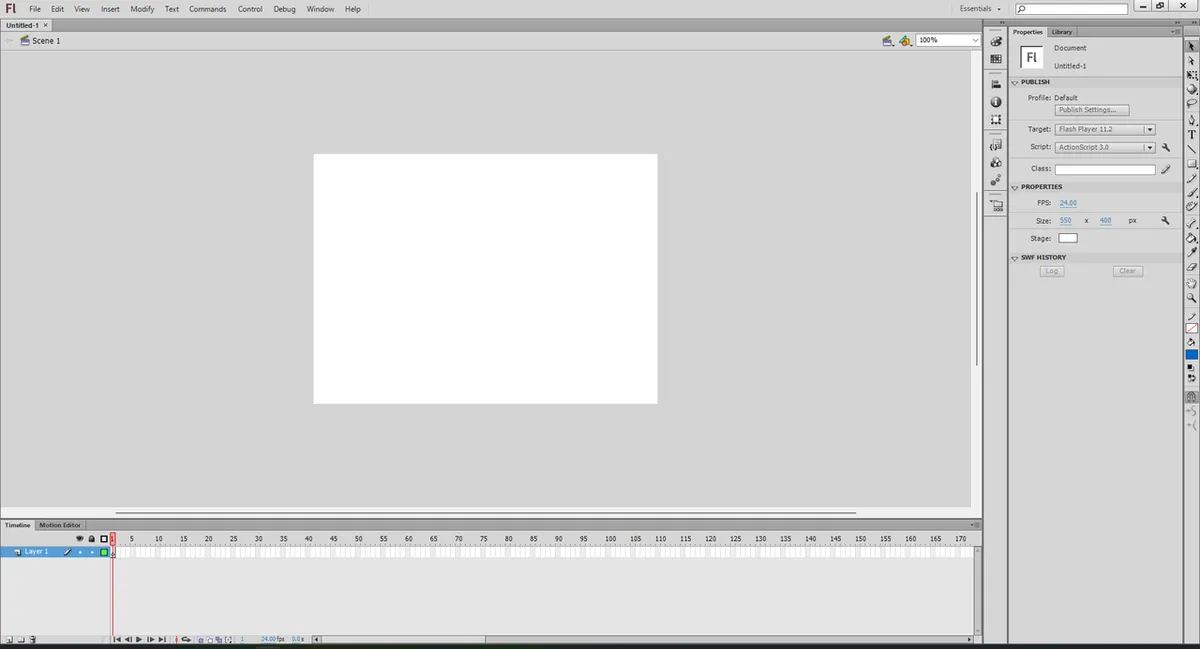
down here, change the framerate to something like 1fps, 2fps or 3fps - depends on your audio, really.
all you need to do is click on it, and it'll let you change it, easy.
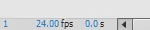
now, the audio. all you need to do is drag and drop your newly exported audio file anywhere on your canvas (that white square you see is your canvas). head over to your library, and you should see your audio file there!!
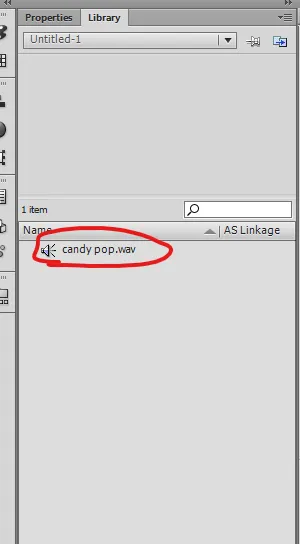
once again, click on your audio file, then drag and drop it to your canvas. huh?? nothing's happened. WRONG!!! look at your timeline.
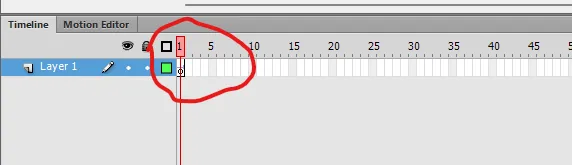
see that very faint line where i've circled?? that's your audio, imported into your keyframe!!
but how do we extend that keyframe, you may wonder??? watch me.
if you're wondering what i did, i:
- selected the keyframe (shift + click, your cursor should be a sideways arrow) + extended it to... quite a lot of frames
- inserted a blank keyframe (right click + the option should be there)
- checked to see where the audio ended so i'd know how many frames to delete
- deleted the unnecessary keyframes
now, playback your audio!!! sounding crunchy, eh??
IF THE AUDIO WON'T STOP PLAYING, EVEN AFTER YOU PAUSE, then go onto your frame's properties, and change the sound's sync from "event" to "stream".
IF THE AUDIO SOUNDS LOW-PITCHED, you've forgotten to change the sample rate of your audio. make sure you've done that!!!
anyways. after you've fully assured that your audio plays back fine, IT'S TIME TO EXPORT. >:o]
go to file > export > export movie, or just do CTRL + ALT + SHIFT + S. save your movie as a SWF file, this is to ensure it keeps the nice crunchy flash quality audio that you want.
now you might be asking: how do we convert this into an audio file!?!?!?!? WORRY NOT!!! this is where... swivel comes in!! you can download it from here. :o]
swivel will be used to convert your SWF to an MP4 file, which will allow us to convert it into an audio file later on!!
after you've downloaded swivel, open it. it should be easy from here, just add your swf file with the audio you wanna extract, and simply export it. we're not done yet, though. after your SWF file's been exported into a MP4 file, we'll need to convert it into an MP3 file. i use cloudconvert for this!!!
the rest should be self-explanatory. you should have something like this, now!!
WOULD YOU LOOK AT THAT!!! you've successfully managed to achieve flash quality audio!!!
its a lengthy process, but if it's for the low quality audio, then... yknow. ;oP
i really should be workin' on my site. instead, i made a tutorial. wowee >:o]